TS Toolkit
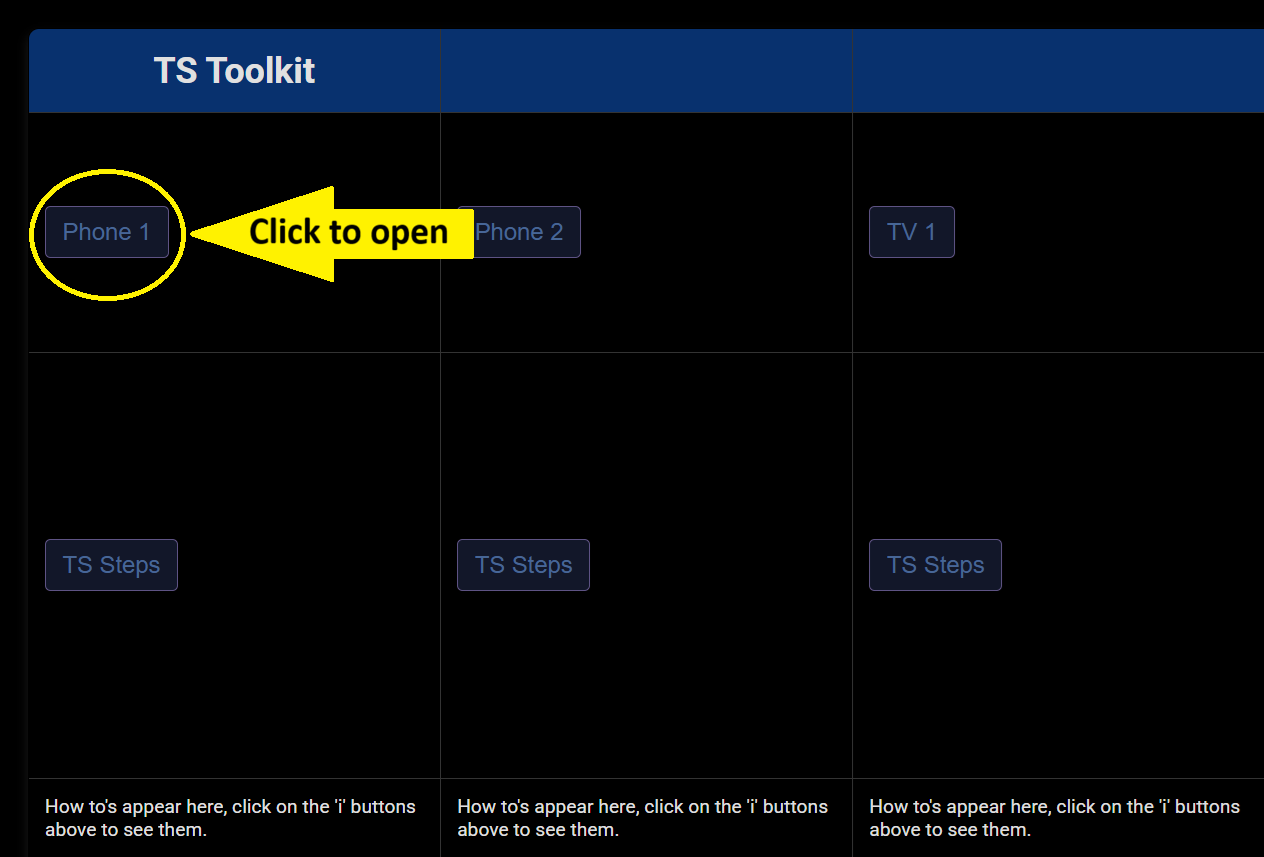
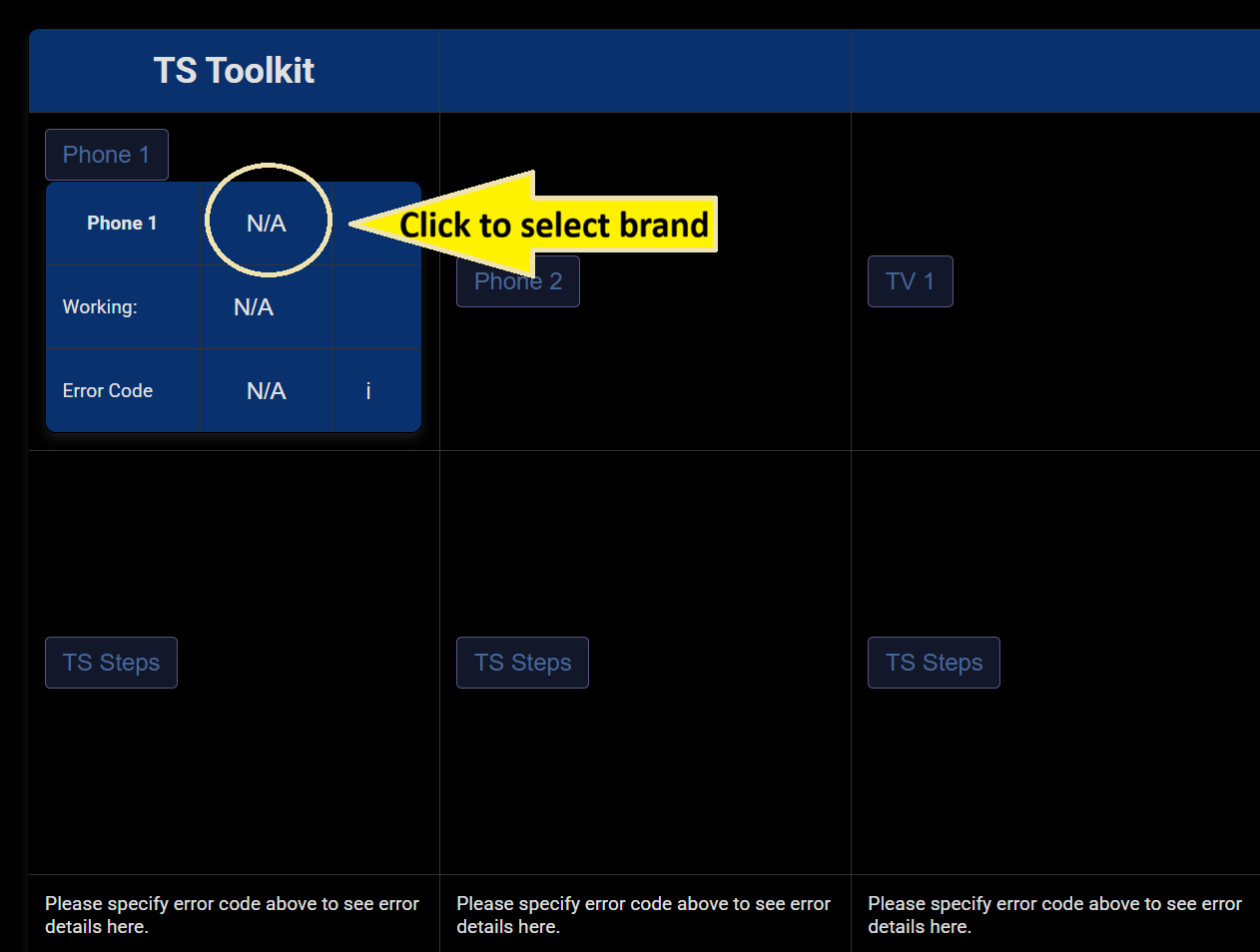
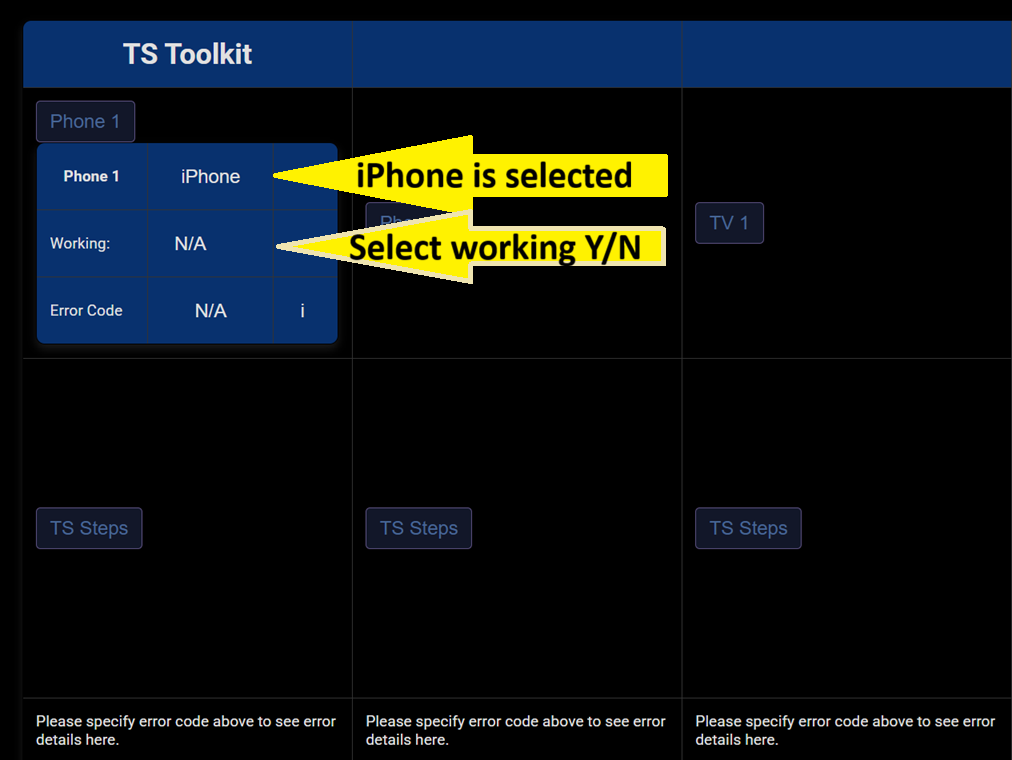
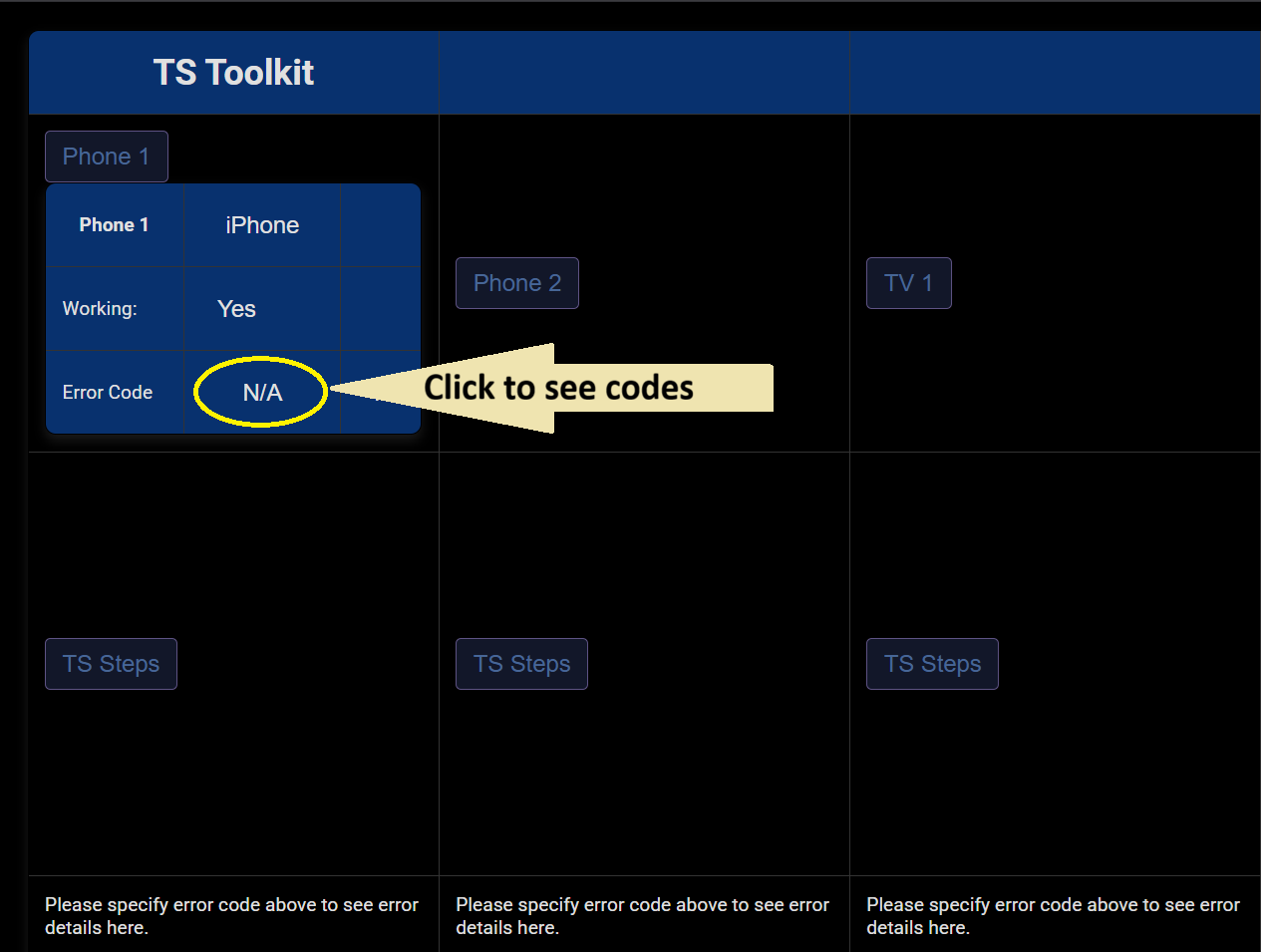
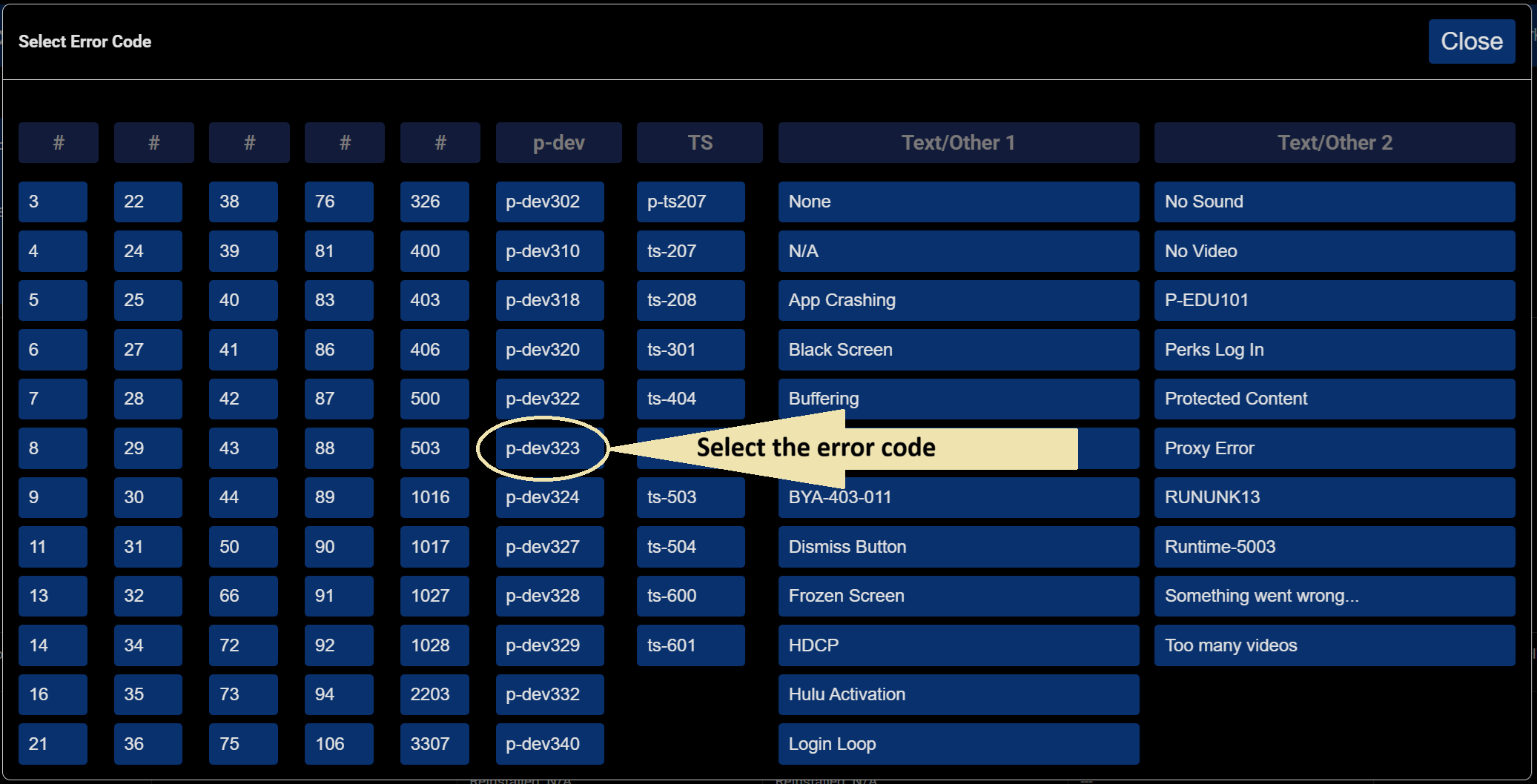
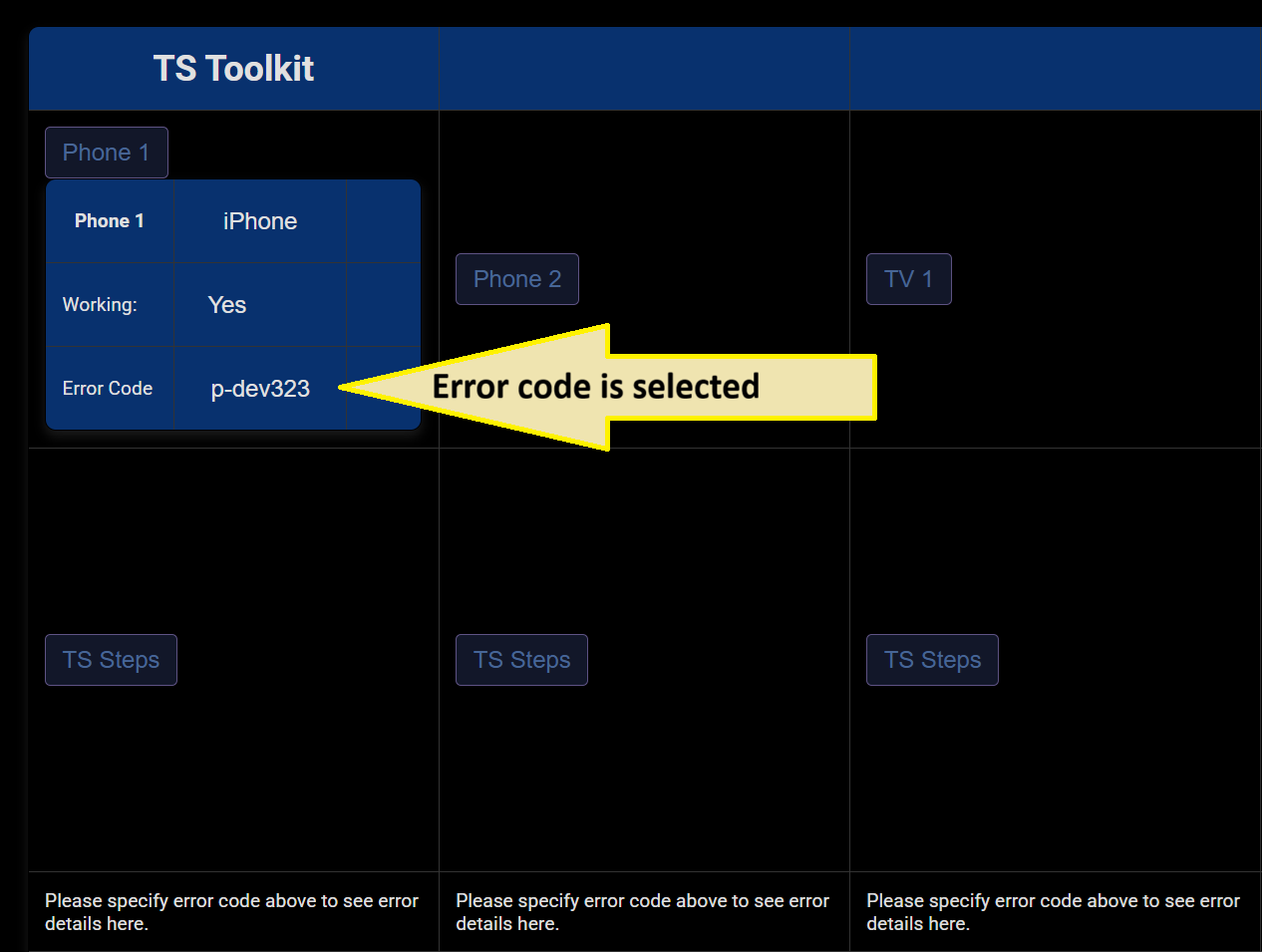
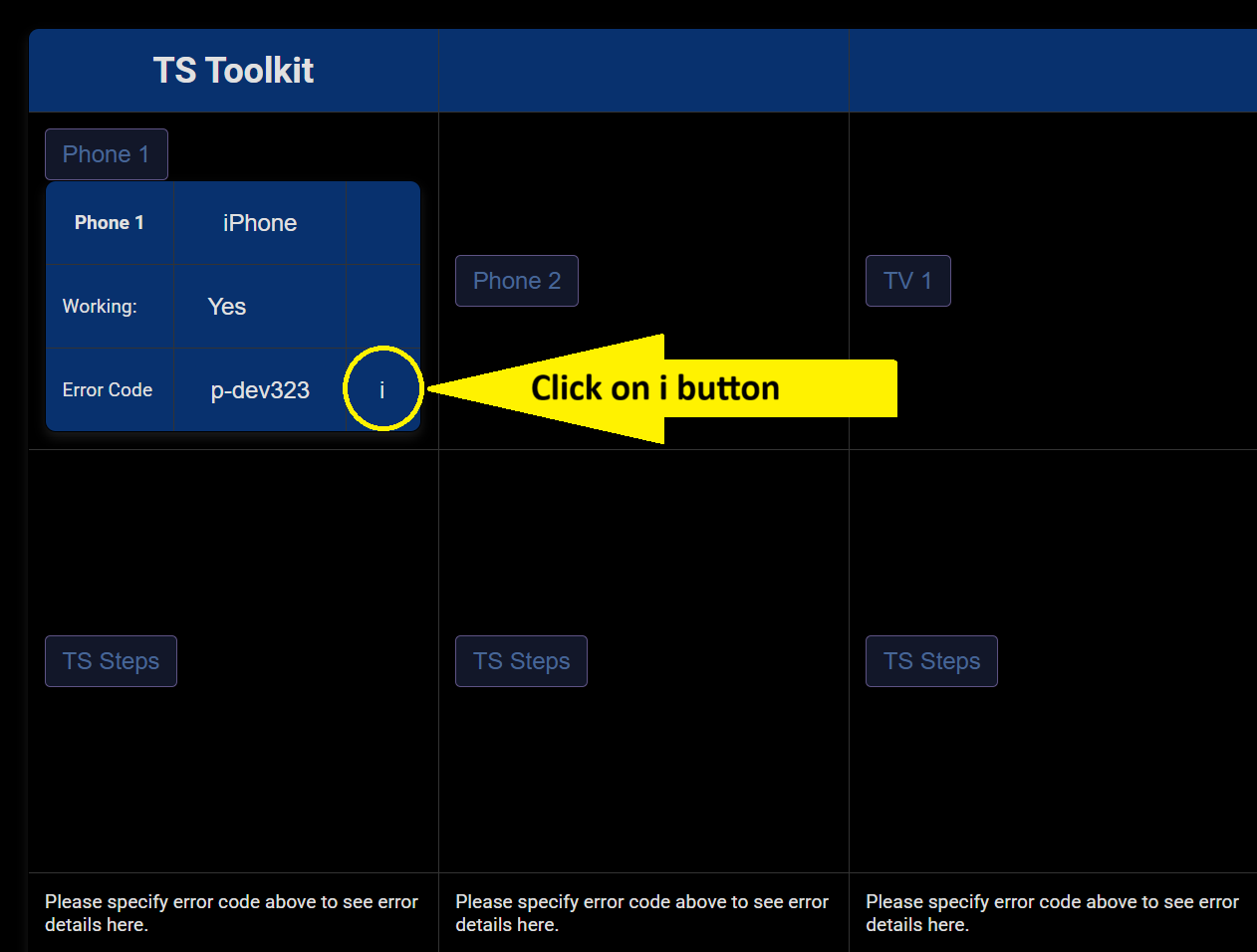
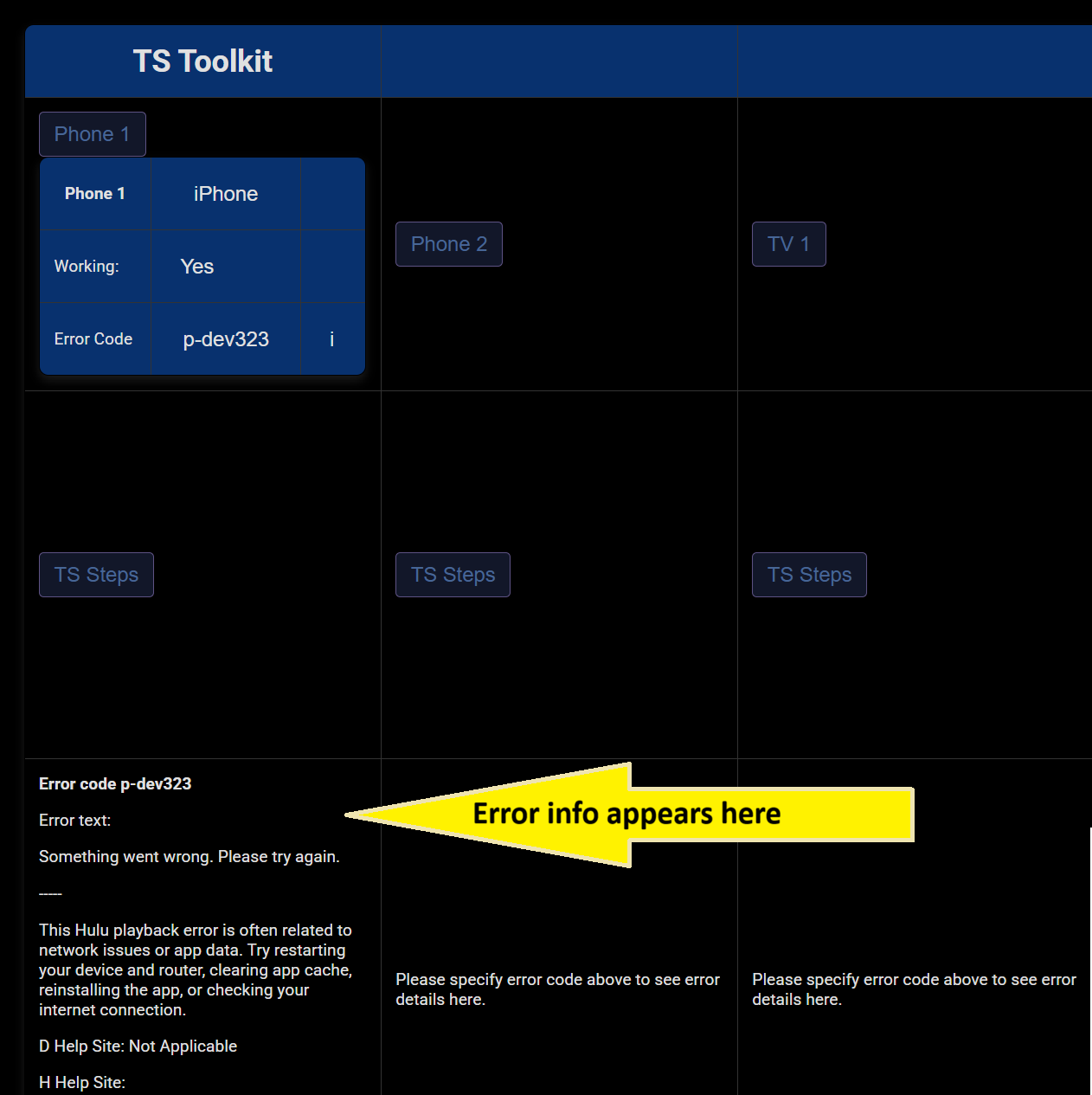
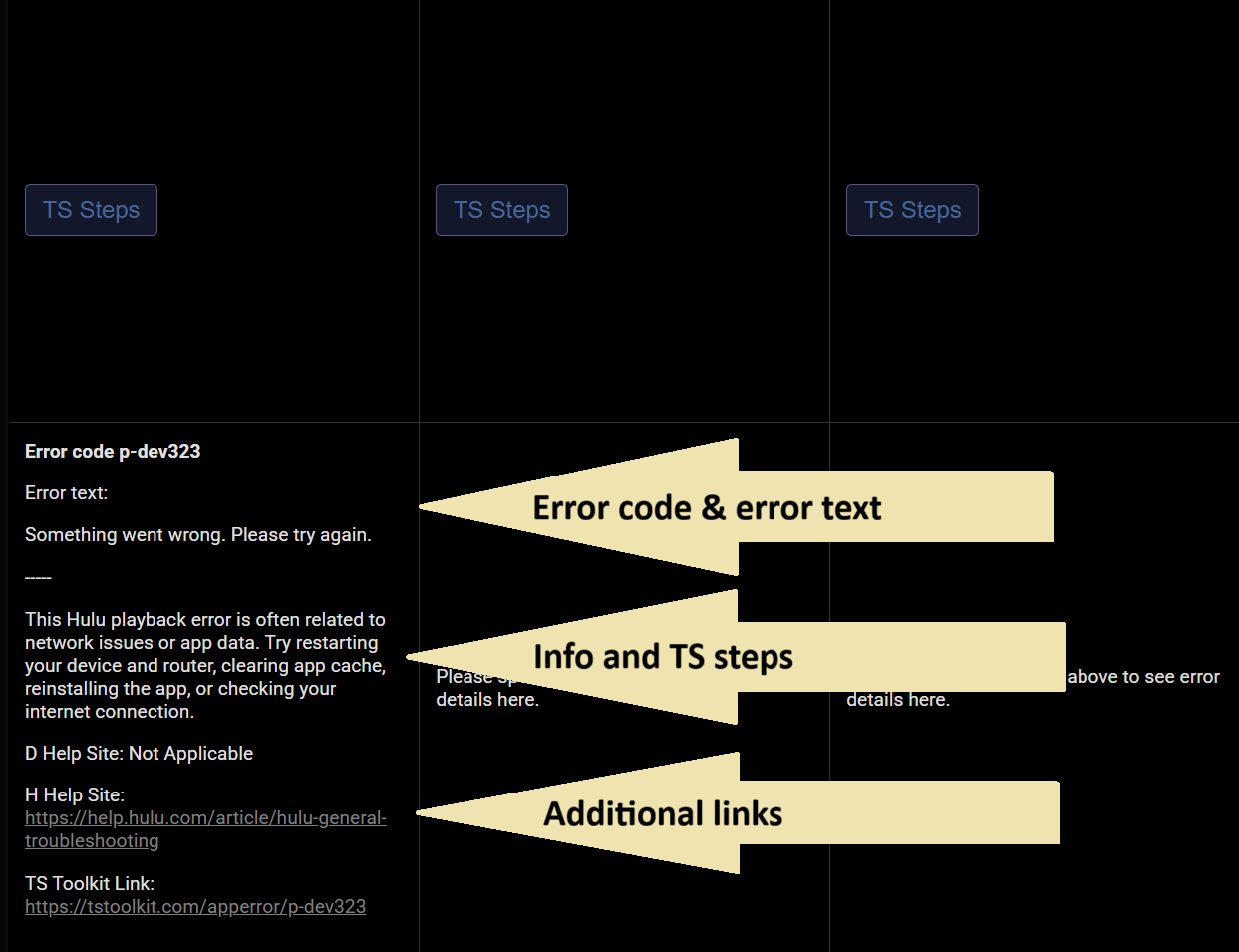
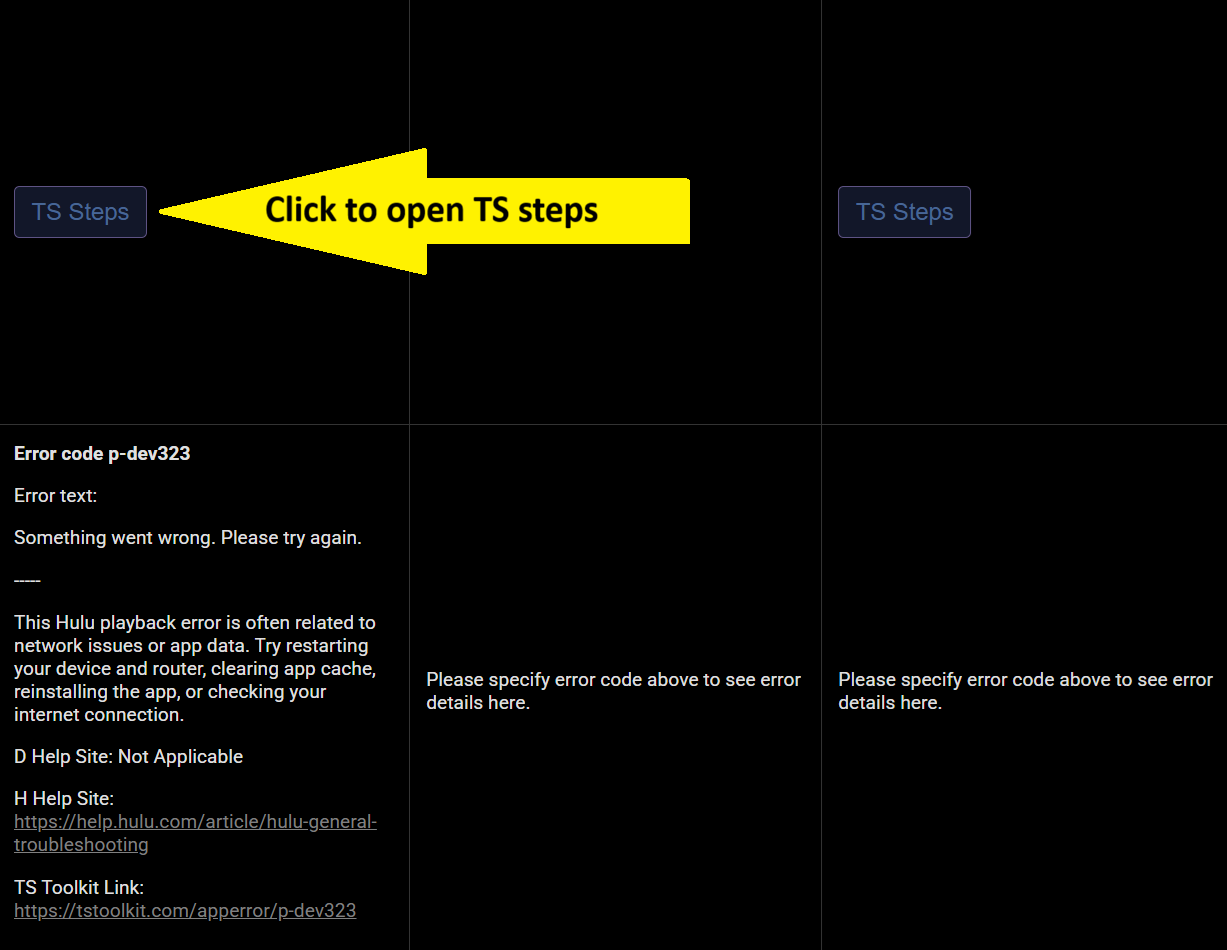
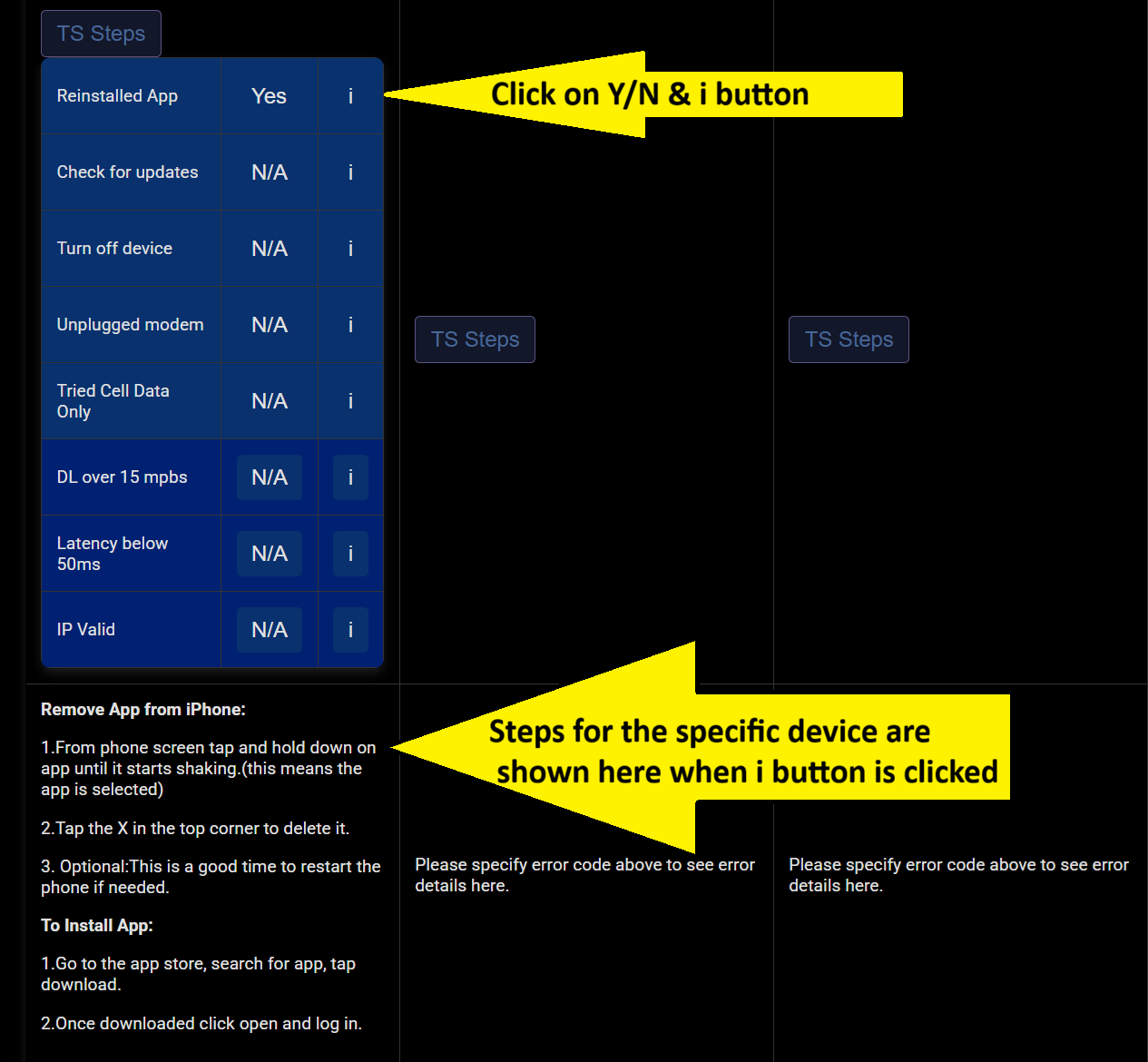
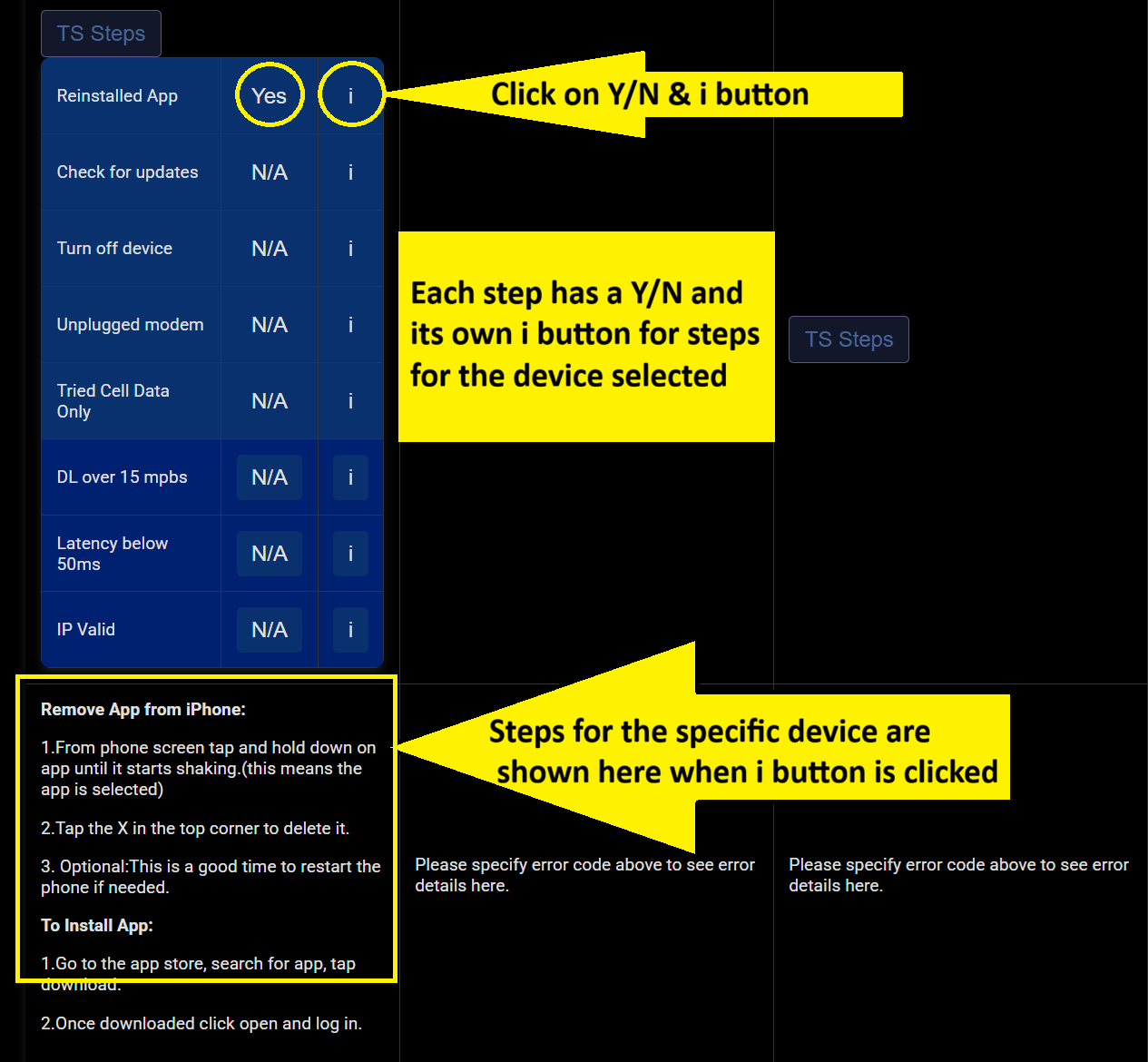
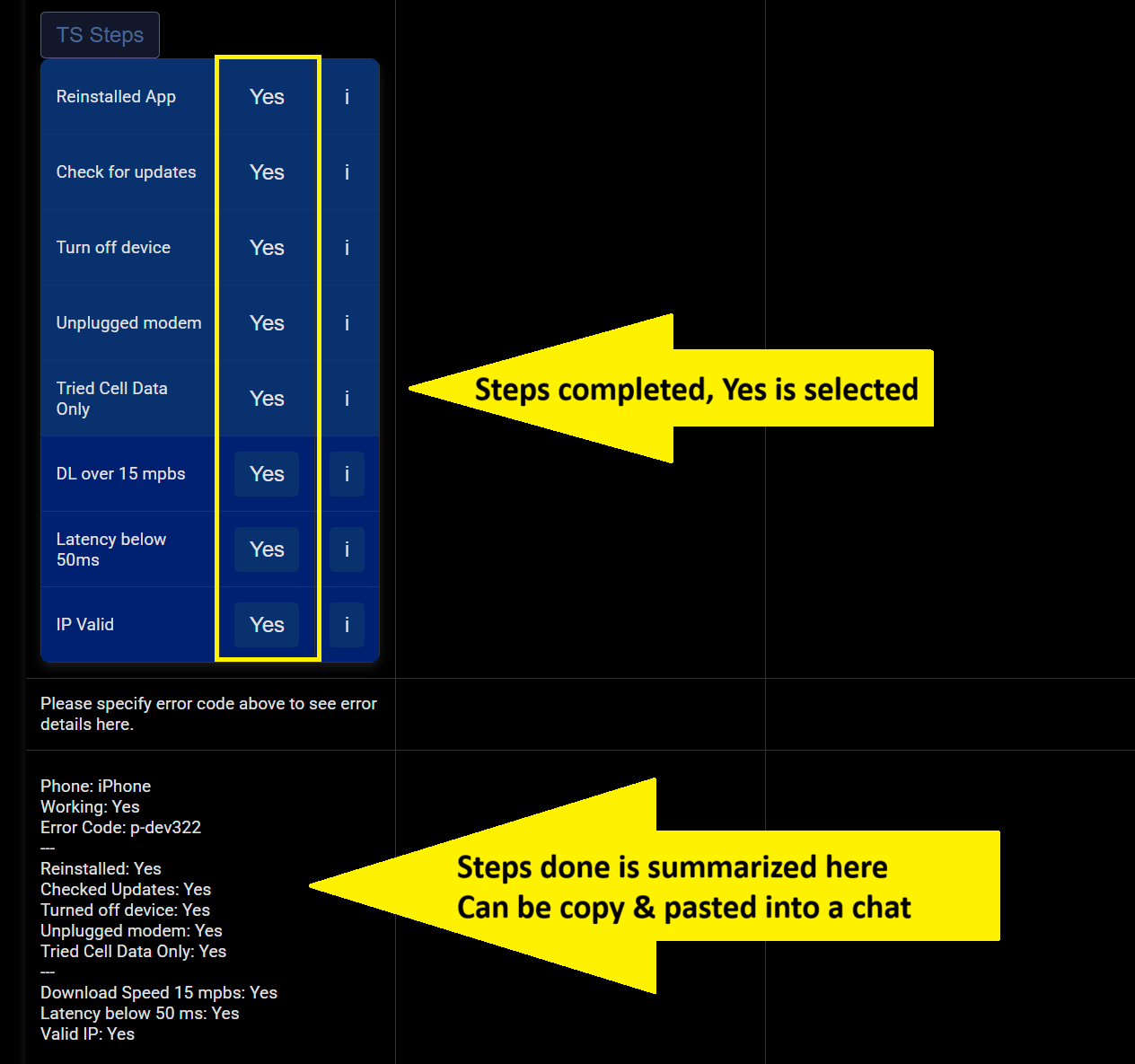
TS Toolkit walkthrough step 1: click to open and see options TS Toolkit walkthrough step 2: click to select brand TS Toolkit walkthrough step 3: click to select working yes or no TS Toolkit walkthrough step 4: click N/A to see error codes TS Toolkit walkthrough step 5: click on the error code TS Toolkit walkthrough step 6: error code is selected TS Toolkit walkthrough step 7: click the error code info button TS Toolkit walkthrough step 8: info for the selected error code appears TS Toolkit walkthrough step 9: error info box shows code, text, meaning, steps and links TS Toolkit walkthrough step 10: click Troubleshooting Steps to open the list of troubleshooting steps TS Toolkit walkthrough step 11: click yes or no on each step, click info to see device-specific steps TS Toolkit walkthrough step 12: each troubleshooting step has an info button with steps for the selected device TS Toolkit walkthrough step 13: device, error, steps, download speed and more can be copy-pasted
1 / 13

Click to open, see options

2.0s